New in Bootstrap for DotVVM: Select2 and AIR Datepicker
Published: 11/15/2026 2:07:03 PMSearchable combo boxes, tag inputs, and a modern date and time picker. Bootstrap for DotVVM 5.0.1 comes with two new subpackages that wrap popular JavaScript components and make them work with DotVVM data-binding out of the box.
Bootstrap 5 is great, but its form controls are quite basic. The native <select> cannot be searched, a multi-select list box is not very user-friendly, and the browser's date picker looks different in every browser and can't be localized.
There are many JavaScript libraries that solve these problems, but integrating them with DotVVM always required a custom binding handler, a bit of CSS to make them look like Bootstrap, and some care about date serialization. We have done this work for you, and published two new packages:
DotVVM.Controls.Bootstrap5.Select2with theSelect2ComboBoxandSelect2MultiSelectcontrolsDotVVM.Controls.Bootstrap5.AirDatePickerwith theAirDatePickercontrol
Both packages are optional, so you only add JavaScript libraries your app actually uses.
Select2ComboBox
Select2 is one of the most widely used replacements for the <select> element. The Select2ComboBox control extends the Bootstrap ComboBox, so it supports exactly the same properties - you can just add the Select2 prefix to the control name and get a searchable drop-down:
<bs:Select2ComboBox SelectedValue="{value: SelectedCountry}"
                    DataSource="{value: Countries}"
                    ItemTextBinding="{value: Name}"
                    ItemValueBinding="{value: Code}" />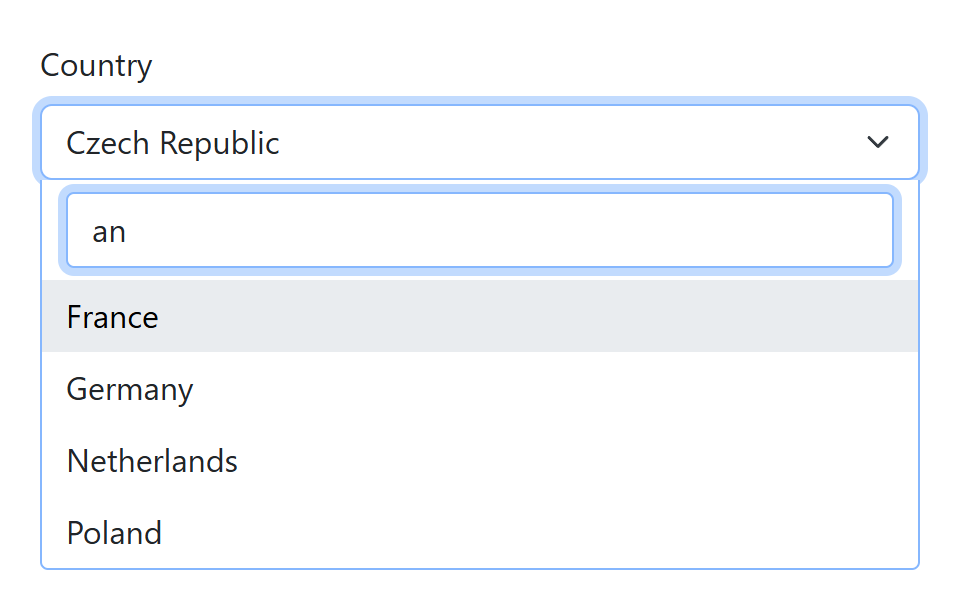
The widget is styled to match the Bootstrap 5 form controls, including the focus ring, and it supports full keyboard navigation. Changes of DataSource or SelectedValue in the viewmodel are reflected immediately, and the SelectionChanged event works the same way as in the regular ComboBox.
Select2MultiSelect
If you need to select multiple values, use Select2MultiSelect. It is built on the MultiSelect control, and the selected items are displayed as removable chips:
<bs:Select2MultiSelect SelectedValues="{value: SelectedTechnologies}"
                       DataSource="{value: Technologies}"
                       ItemTextBinding="{value: Name}"
                       ItemValueBinding="{value: Id}" />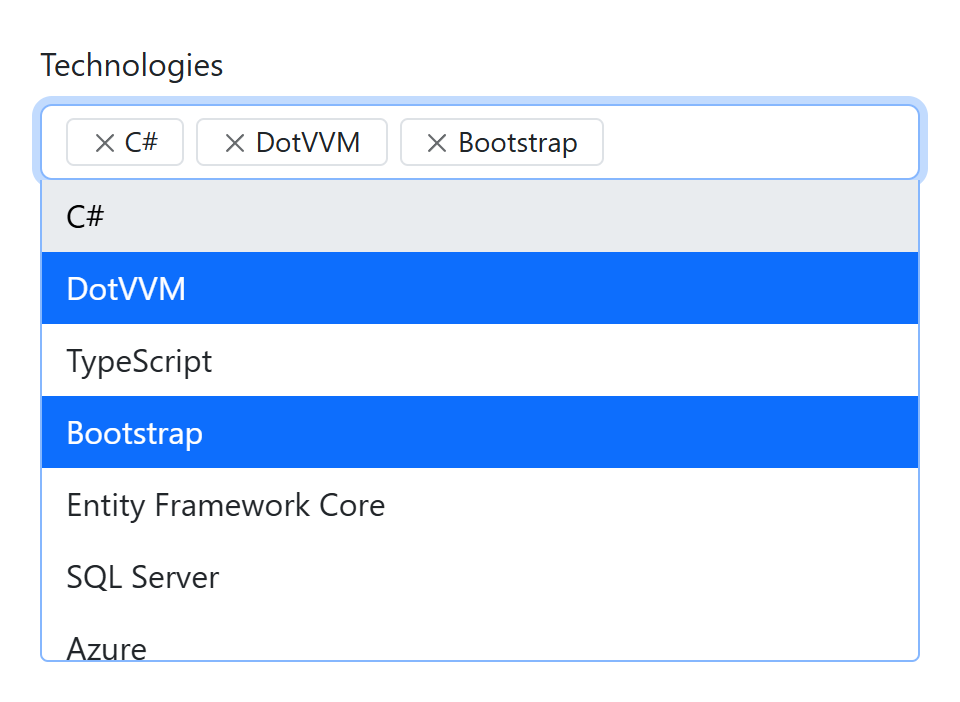
Creating new items
A very common scenario is entering tags or labels - the user should be able to pick from existing values, but also add new ones. Just set AllowCreateItems to true:
<bs:Select2MultiSelect DataSource="{value: Tags}"
                       SelectedValues="{value: SelectedTags}"
                       AllowCreateItems="true" />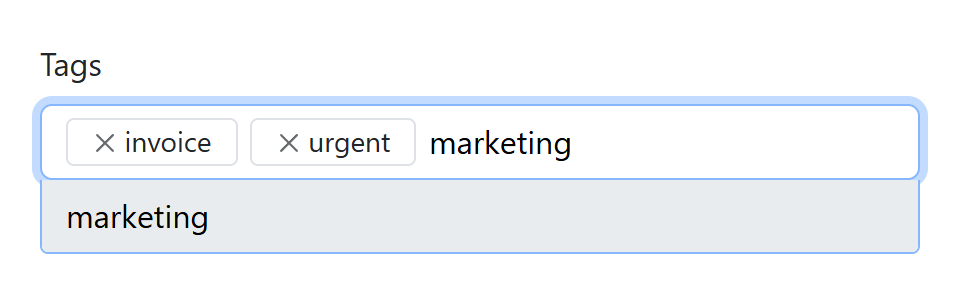
When the user types a value which is not in the list and presses Enter, the control adds it to both DataSource and SelectedValues. If the user removes it later, it stays in the DataSource and can be selected again without creating a duplicate.
In this mode, both collections must be lists of strings (for example List<string>). DotVVM validates this at compile time, so you will get a clear error message instead of a strange runtime behavior.
AirDatePicker
AIR Datepicker is a lightweight, dependency-free date picker with a clean look. The AirDatePicker control binds to a DateTime? property and can work in three modes - Date, Time, and DateTime.
<bs:AirDatePicker SelectedValue="{value: MeetingDate}"
                  MinDate="{value: MinDate}"
                  MaxDate="{value: MaxDate}"
                  Placeholder="Choose a date" />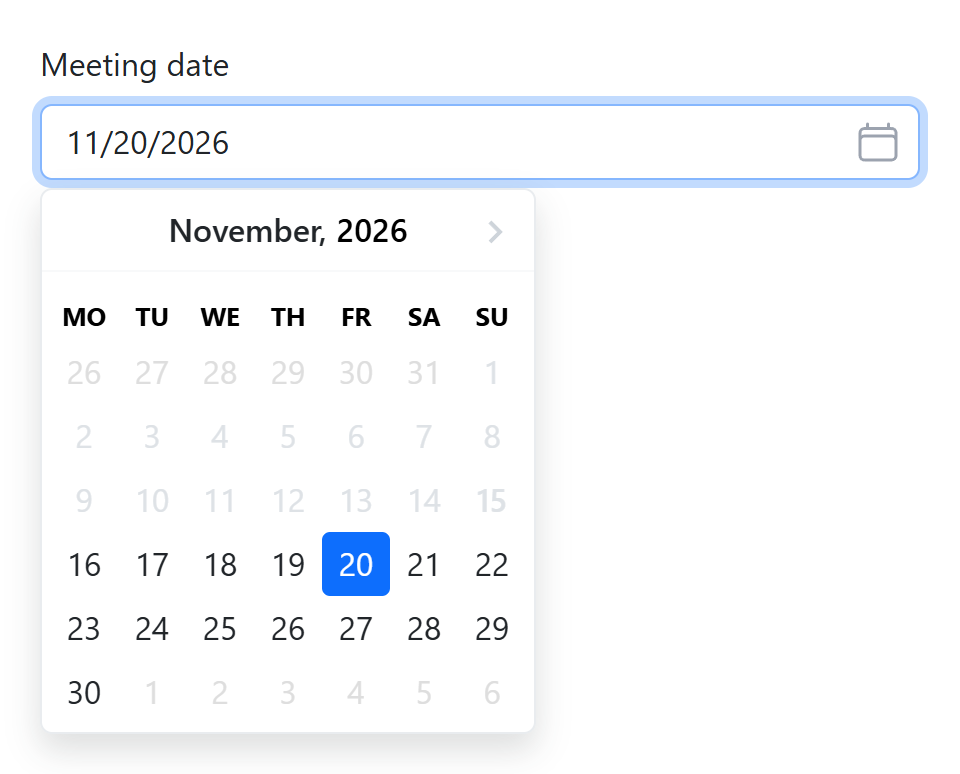
MinDate and MaxDate can be bound to the viewmodel, so you can easily restrict the range depending on other values in the form - for example, the end of a reservation cannot be before its start.
For time selection, you can restrict the hours using MinHours and MaxHours, and set the granularity using HoursStep and MinutesStep:
<bs:AirDatePicker SelectedValue="{value: MeetingTime}"
                  Type="Time"
                  TimeFormat="HH:mm"
                  MinHours="8"
                  MaxHours="18"
                  MinutesStep="15" />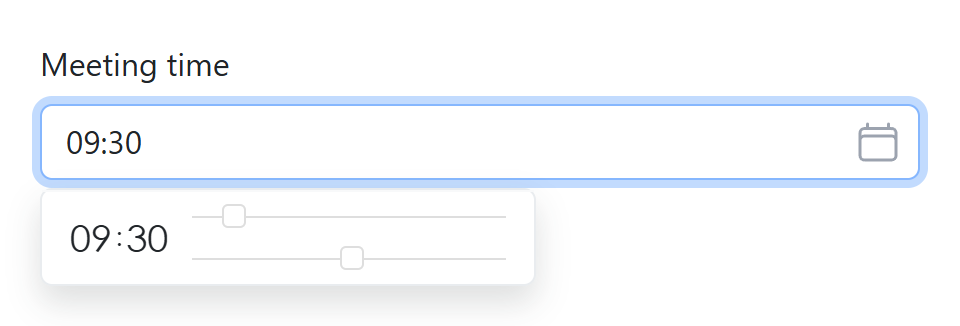
Formats and localization
You don't need to learn the format syntax of AIR Datepicker - the DateFormat and TimeFormat properties accept the familiar .NET format strings like dd.MM.yyyy or HH:mm, and the control translates them for you.
The calendar is localized automatically according to the current culture of the request, and you can also set the Culture property explicitly. More than 30 languages are supported.
<bs:AirDatePicker SelectedValue="{value: PublishedAt}"
                  Type="DateTime"
                  DateFormat="dd.MM.yyyy"
                  TimeFormat="HH:mm"
                  Culture="cs-CZ" />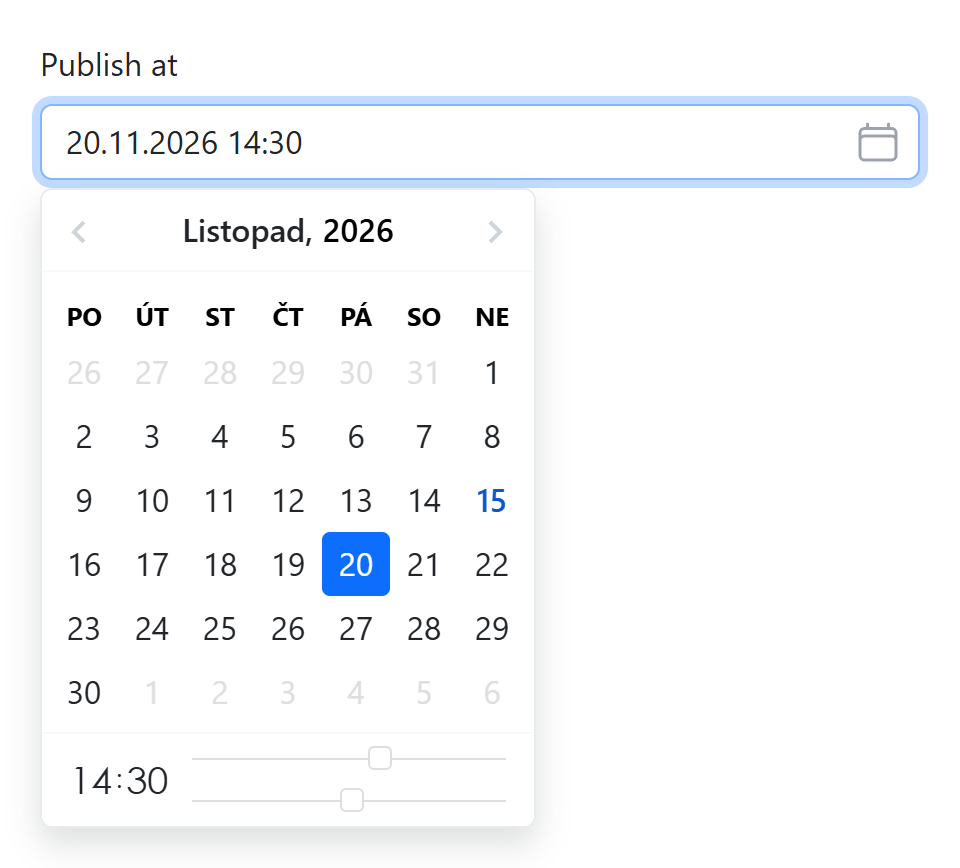
The control also supports the Size and Enabled properties, so it fits nicely into your existing Bootstrap forms.
How to get started
The new controls are part of Bootstrap for DotVVM 5.0.1. Install the packages you need:
dotnet add package DotVVM.Controls.Bootstrap5.Select2
dotnet add package DotVVM.Controls.Bootstrap5.AirDatePicker
Then register them in DotvvmStartup.cs after the Bootstrap configuration:
config.AddBootstrap5Configuration();
config.AddBootstrap5Select2Configuration();
config.AddBootstrap5AirDatePickerConfiguration();
The controls use the same bs tag prefix as the rest of Bootstrap for DotVVM. The scripts and styles are embedded in the packages and are loaded only on pages which use the controls. Select2 requires jQuery - if your app doesn't register it already, the package will add it for you.
You can find more examples in the documentation of Select2ComboBox, Select2MultiSelect, and AirDatePicker.
As always, we'd love to hear your feedback. Let us know if there are other JavaScript components you'd like to see integrated with Bootstrap for DotVVM.

I am the CEO of RIGANTI, a small software development company located in Prague, Czech Republic.
I am Microsoft Most Valuable Professional and the founder of DotVVM project.