Tailwind UI for DotVVM Release Candidate 1 is out
Published: 6/20/2026 7:55:59 PMAfter many rounds of internal testing, we are happy to announce Tailwind UI for DotVVM - a new set of modern-looking components that let you build beautiful user interfaces with minimal use of CSS classes.
Why Tailwind?
Tailwind is a popular frontend framework for building responsive UIs. It is highly flexible and customizable using CSS variables, which makes it a great foundation for a new pack of DotVVM components.
In the past, we have been relying on Bootstrap, but Tailwind allows us to do much more, and since there are plenty of templates and UI kits built with Tailwind, our components are easy to use together with other Tailwind-based widgets.
Don't be scared of Tailwind CSS classes
Some people think that using Tailwind means that every HTML element will have dozens of CSS classes, something like this:
<button class="px-4 py-2 font-semibold text-white bg-blue-500 rounded-lg shadow-md hover:bg-blue-700 focus:outline-none focus:ring-2 focus:ring-blue-400 focus:ring-opacity-75">
  Click Me
</button>
However, this is not a case of Tailwind UI for DotVVM. We defined meaningful CSS classes such as .button, .button-primary etc., and these classes are composed of Tailwind primitives. If you look in our codebase, this is how the CSS of Tailwind UI for DotVVM looks:
.button {
  @apply px-4 py-2 font-semibold text-white bg-blue-500 rounded-lg shadow-md hover:bg-blue-700 focus:outline-none focus:ring-2 focus:ring-blue-400 focus:ring-opacity-75;
}
The rendered HTML that reaches the browser is then just <button class="button">, not much different from Bootstrap or even plain DotVVM.
In reality, you don't need to worry about this very much, because Tailwind UI for DotVVM defines high-level components that should handle all CSS stuff for you.
Layouts
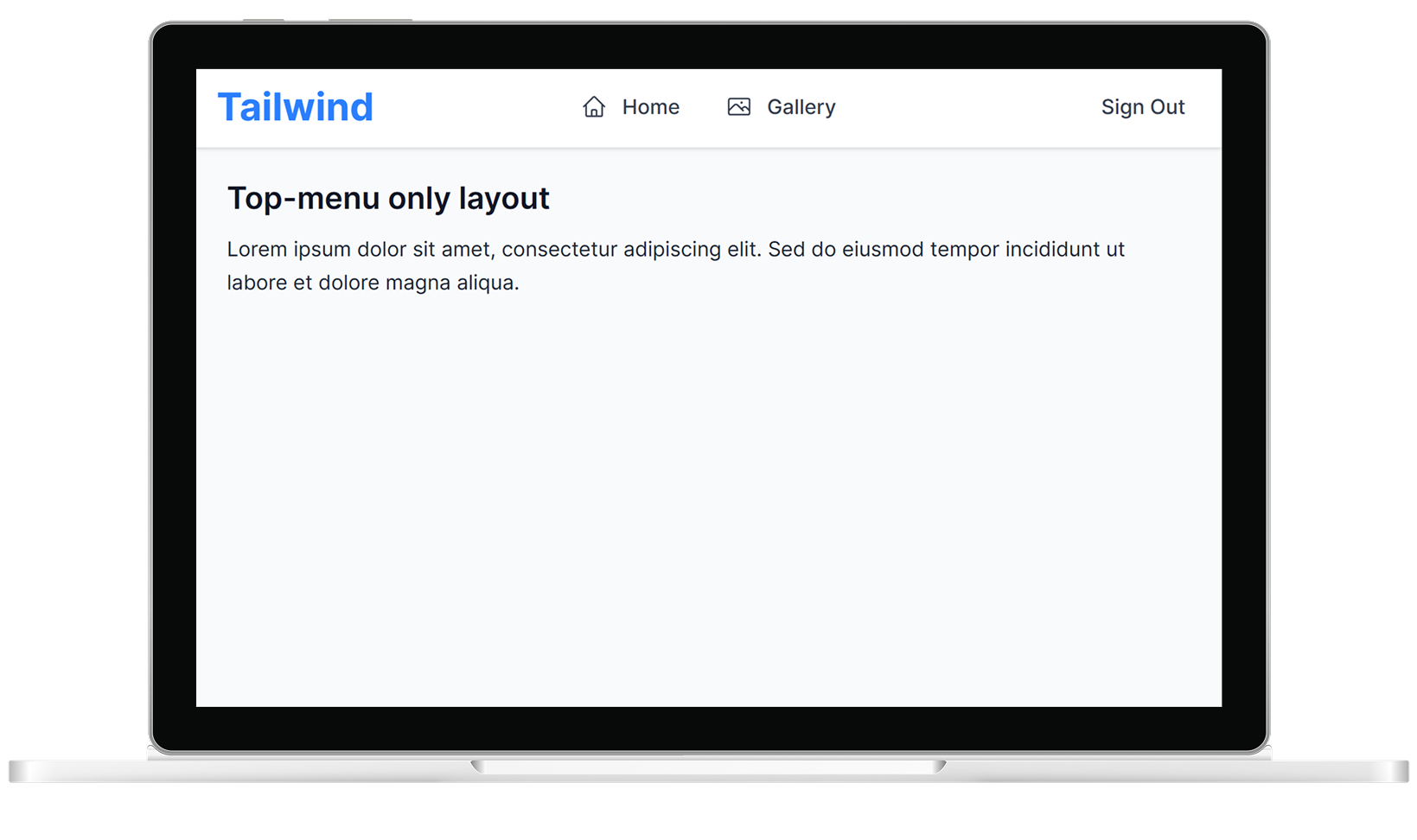
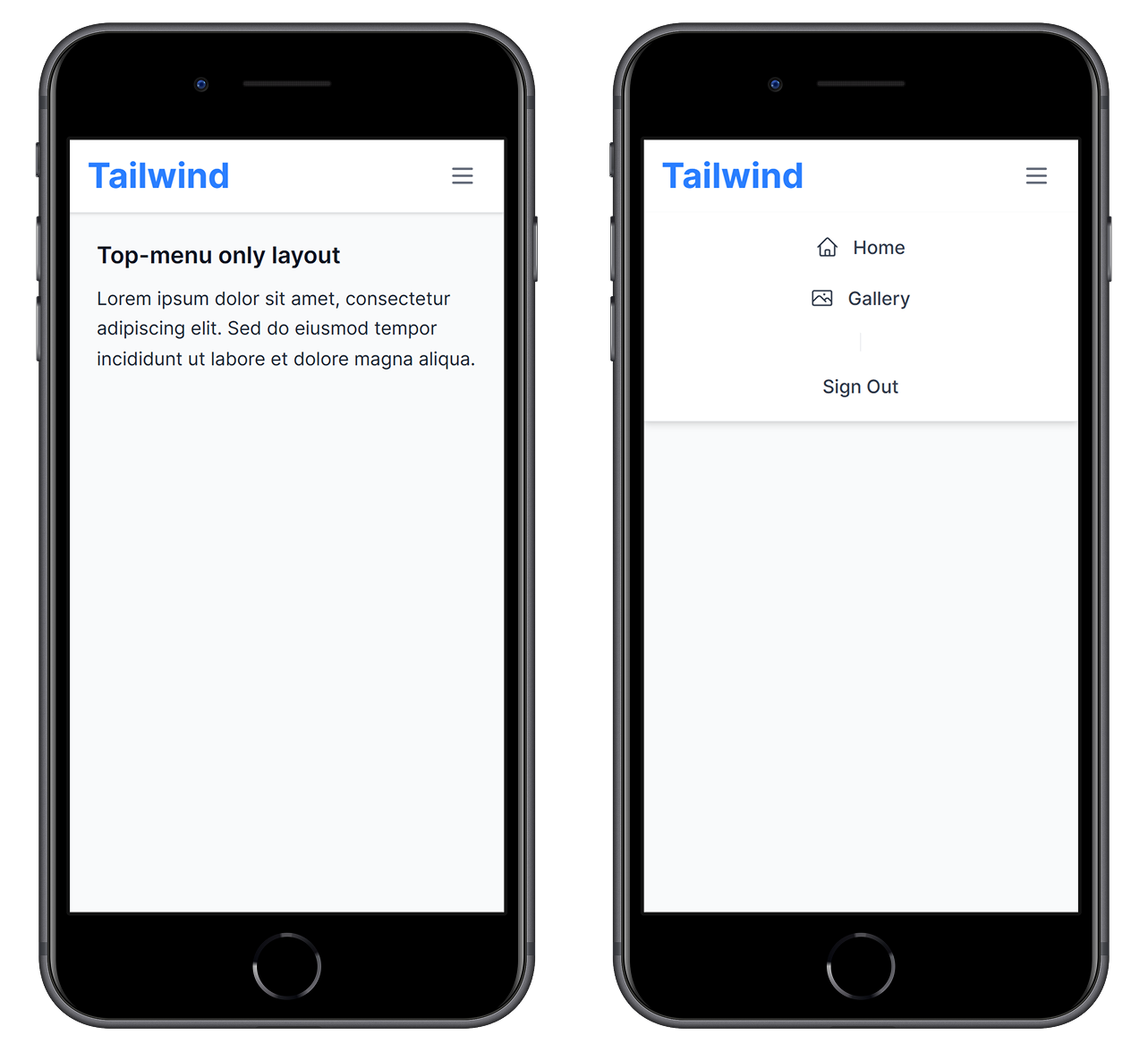
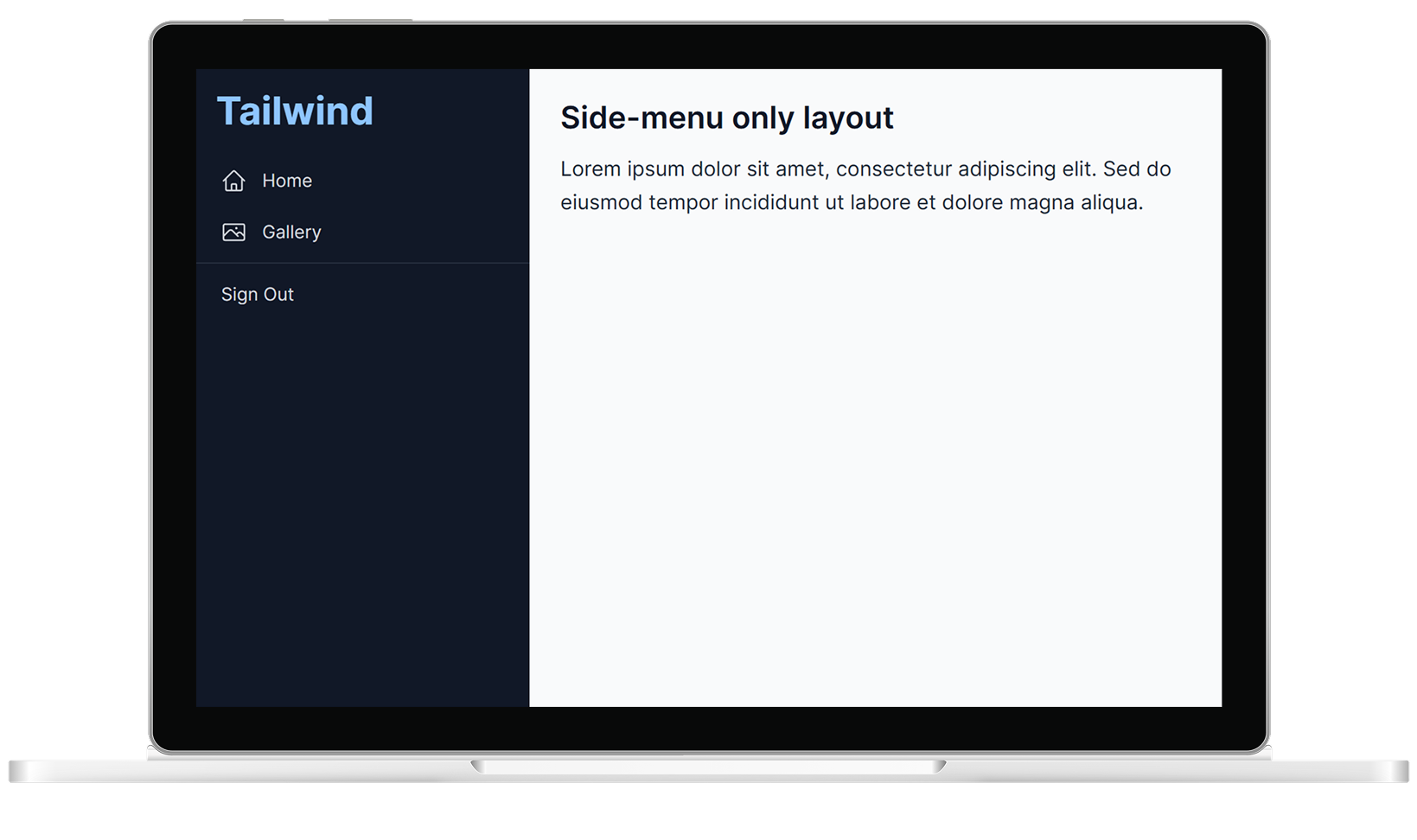
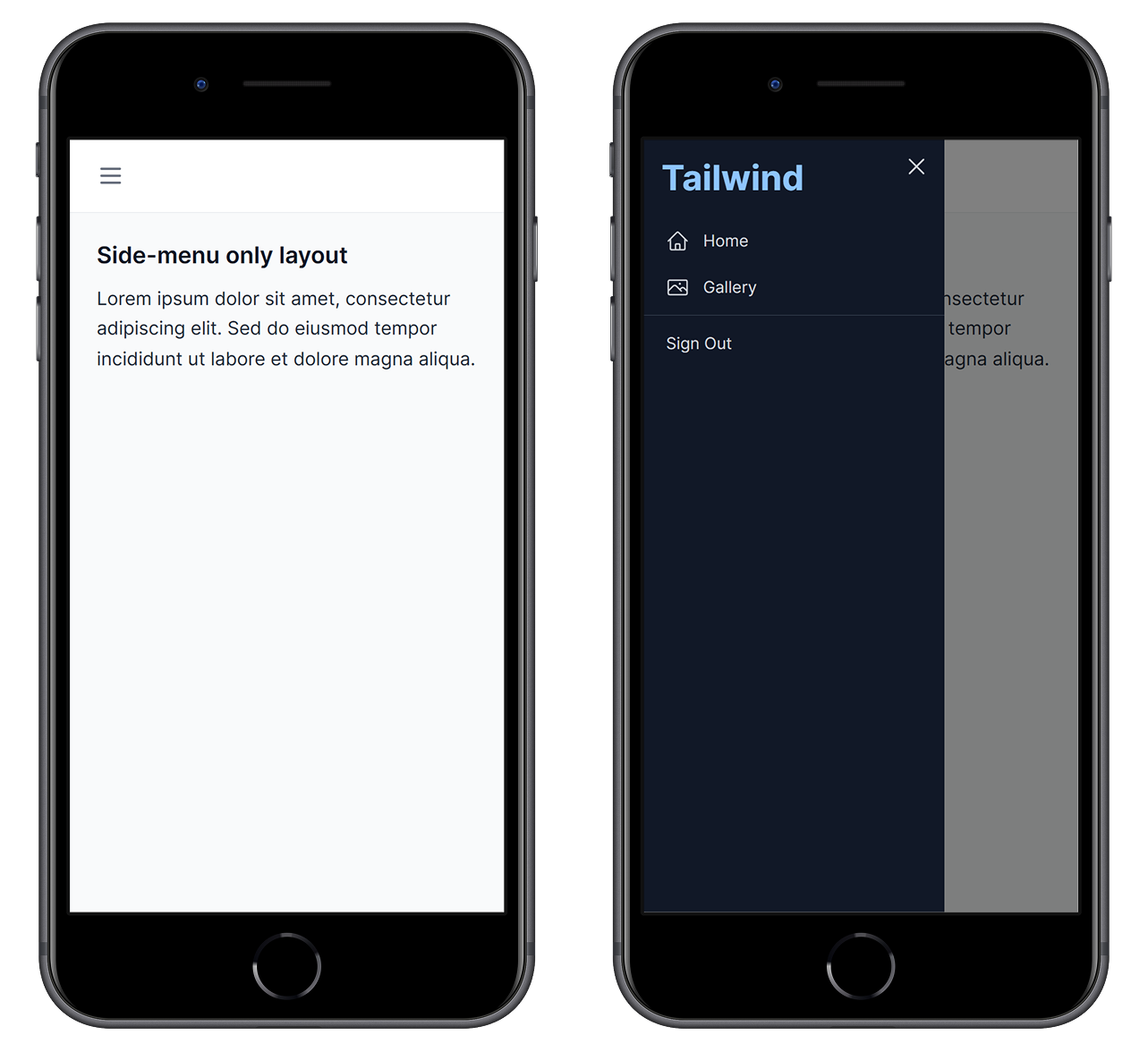
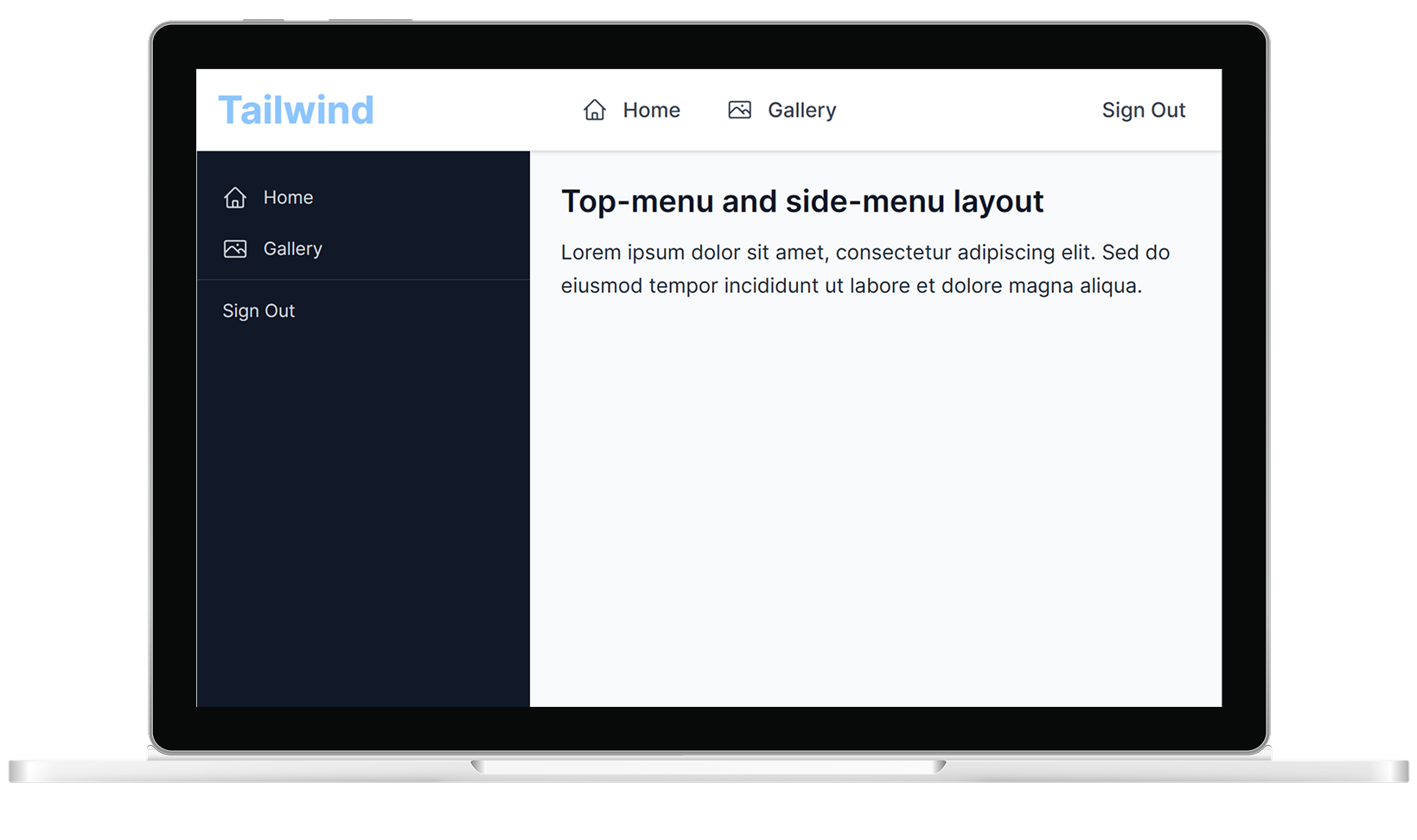
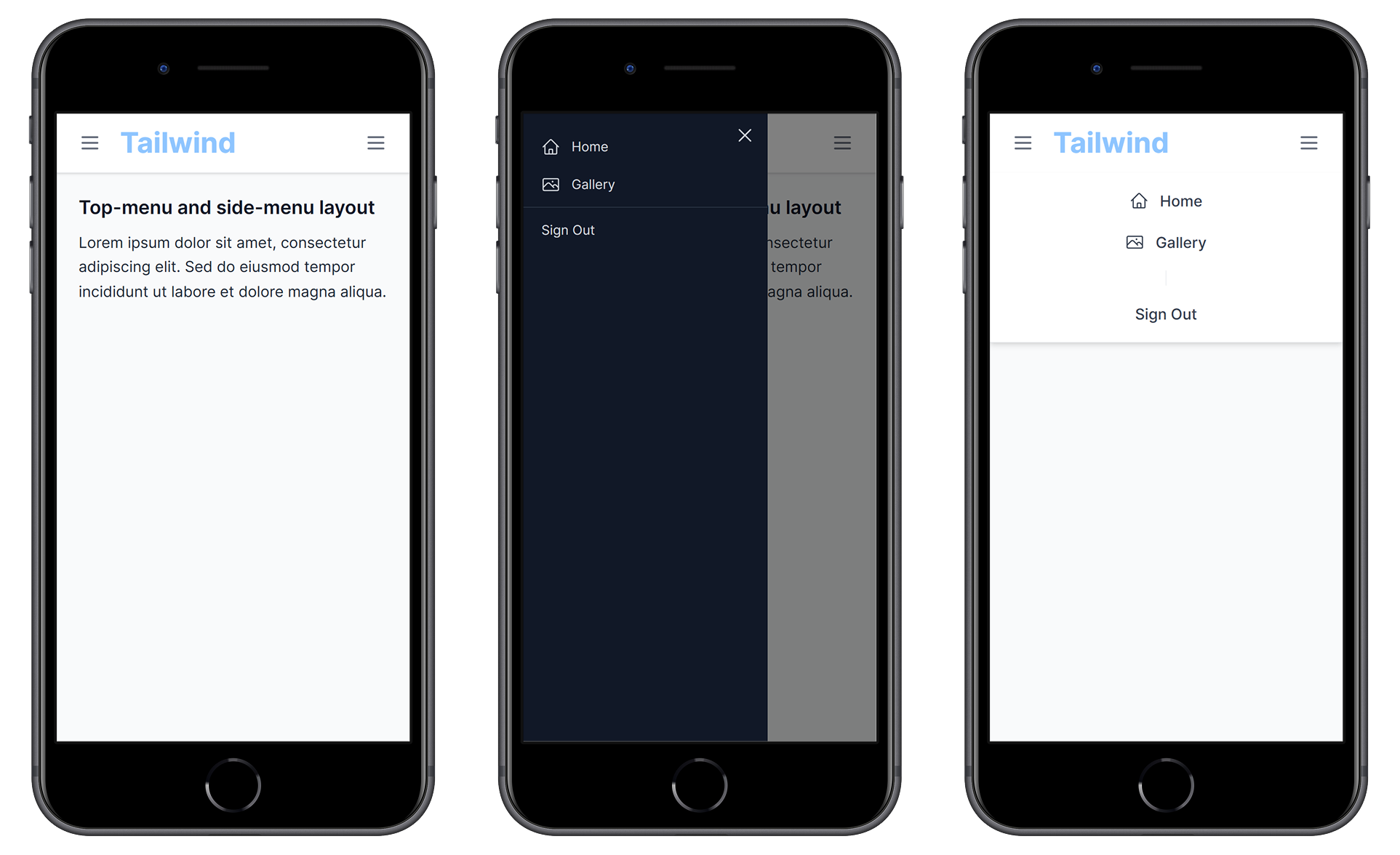
We have the AppLayout component that helps you define the main layout of the application. You can choose from top-menu, side-menu, or a combination of both. These layouts handle responsiveness, so you can just define menu items and the main content.
<t:AppLayout>
    <TopMenuTemplate>
        ...
    </TopMenuTemplate>
    <SideMenuTemplate>
        ...
    </SideMenuTemplate>
    <Content>
        ...
    </Content>
</t:AppLayout>
Top menu only
Side menu only
Both menus
StackLayout
Whenever you need to lay out elements next to each other or below each other, you don't need to worry about gaps - just use StackLayout, and everything will be taken care of - the controls will use nice and consistent spacing. The horizontal layout will automatically switch to a vertical layout on mobile screens, and you can enable wrapping if you expect more content that won't fit on the screen.
<t:StackLayout>
    <t:Button Type="Primary" Text="Overview" ... />
    <t:Button Type="Secondary" Text="Reports" ... />
    <t:Button Type="Success" Text="Settings" ... />
</t:StackLayout>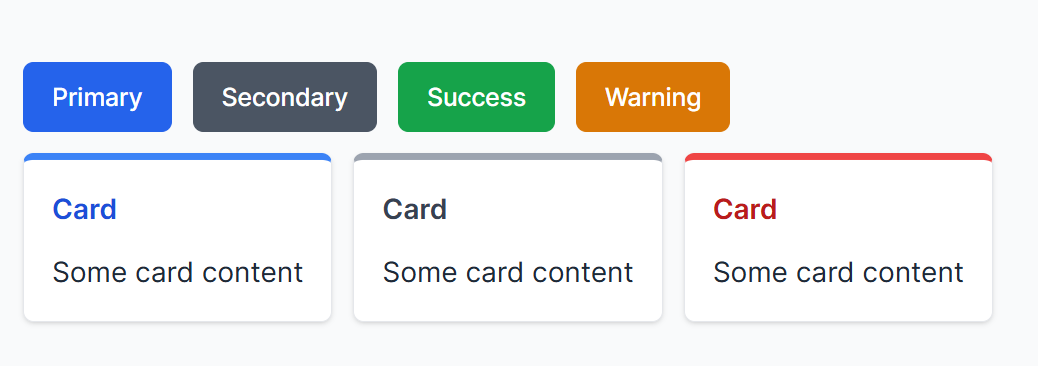
Forms
Forms are in the heart of almost every DotVVM application, and we tried to make them as simple as possible.
We have several types of form fields: TextBoxFormField, ComboBoxFormField, CheckBoxFormField, DateTimePickerFormField, and a generic FormField in which you can place anything.
The form field handles labels and validators, so in most cases, everything fits on a single line of code. You can use pre-defined sizes for fields (Full, ThreeQuarters, Half, Quarter, or Auto), and if you need multiple fields on the same row, just wrap them into the FormRow component.
<t:Form HeaderText="Personal Info">
    <t:TextBoxFormField LabelText="First name" Text="{value: FirstName}" />
    <t:TextBoxFormField LabelText="Last name" Text="{value: LastName}" />
    <t:FormRow>
        <t:TextBoxFormField LabelText="Title before name" Text="{value: TitleBefore}" Size="Quarter" />
        <t:TextBoxFormField LabelText="Title after name" Text="{value: TitleAfter}" Size="Quarter" />
    </t:FormRow>
</t:Form>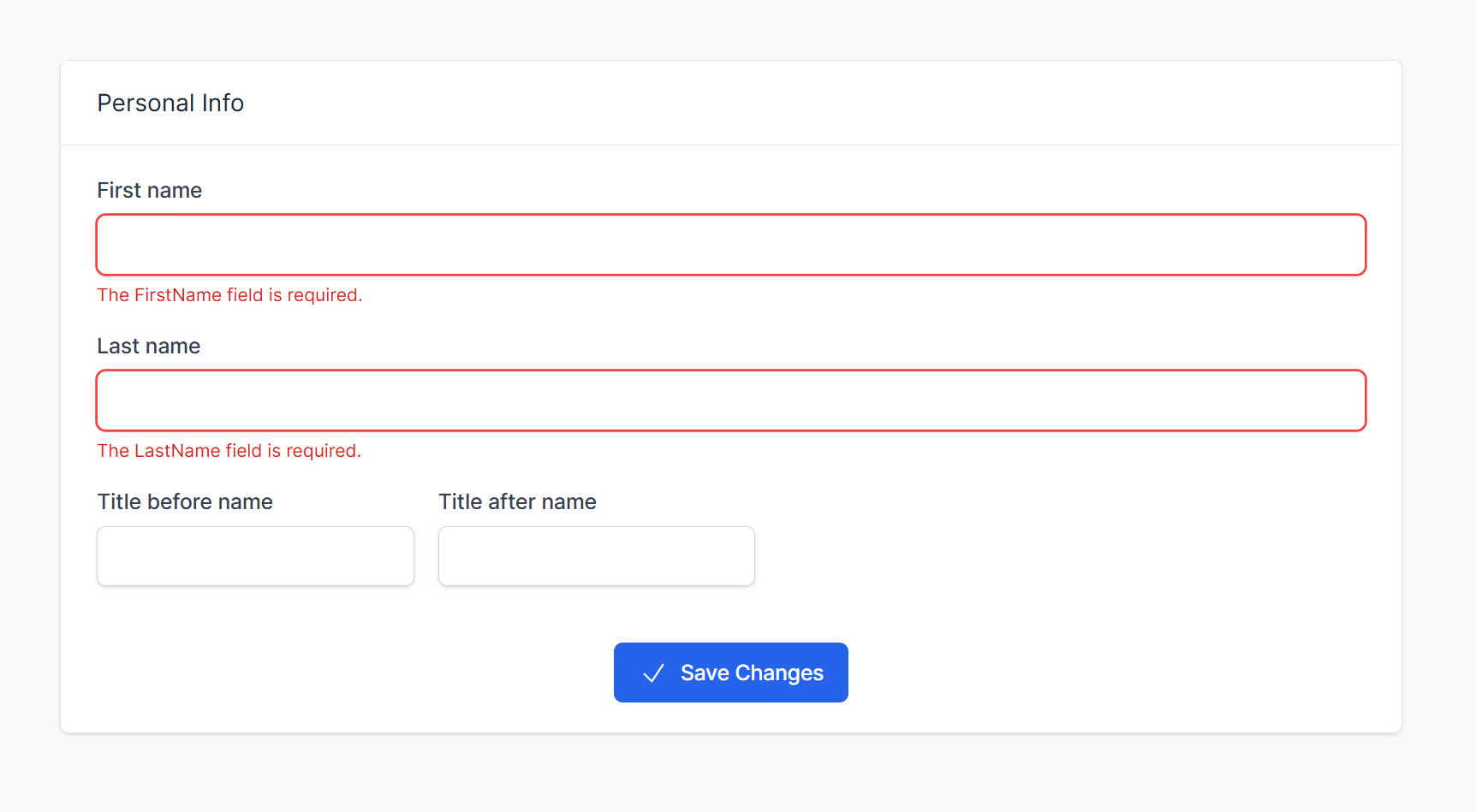
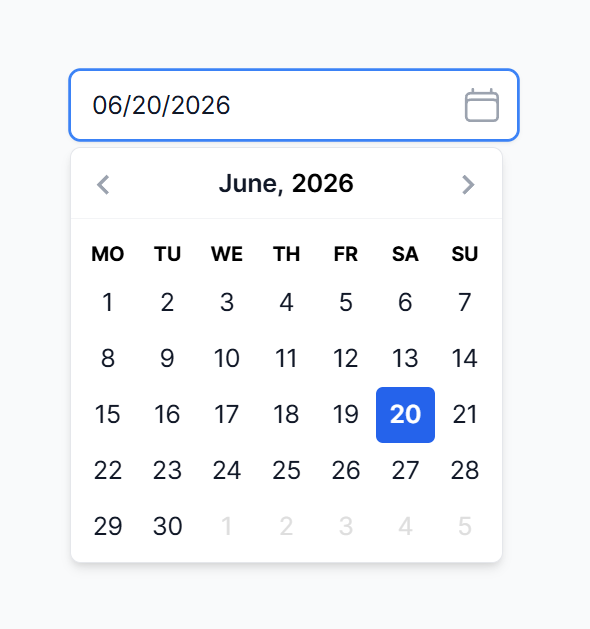
The DateTimePicker control is built on top of Air DatePicker and provides a nice interface with support for mobile devices.
Icons
The Icon is built using Heroicons and offers 316 icons in Solid or Outline style. It is integrated wherever you may need it.
If you need a button with an icon, just set the Text and Icon properties:
<t:Button Text="Save" Icon="Check" ... />Alerts and Nofitications
My favorite control is Notifications. The idea is that you define a single collection in the master page viewmodel, and whenever you need to display a floating notification, you insert an item in this collection.
The notifications will float in the bottom right corner of the screen and can disappear automatically after a specified timeout.
public class ViewModel : DotvvmViewModelBase
{
    public List Notifications { get; set; } = [];
	...
	public async Task SaveChanges()
	{
		...
		Notifications.Add(new NotificationData
		{
			Type = NotificationType.Success,
			Text = "The record was saved."
		});
	}
}
<t:Nofitications Items="{value: Notifications}" />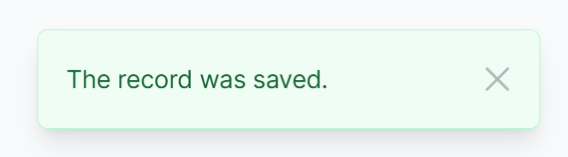
It is easy to implement Exception Filter to implement global error handling with consistent behavior.
Next Steps
There is much more in Tailwind UI for DotVVM.
We'd be glad if you claim the trial version, try it, and give us feedback. For those who do, we'll be giving away a complimentary license. To get the trial, just sign in or create an account and click on a button on your Licenses page.
We have more plans with Tailwind UI for DotVVM. We want to add a Tailwind-compatible theme to DotVVM Business Pack so you can use these libraries together, and we are thinking of adding more Business Pack exclusive features to Tailwind UI.
We also used the Tailwind components for prototyping UI in new projects with AI - we created a skill that helps agents to sketch out a DotVVM app with all the necessary pages and a mocked-up user interface. We think it is a great tool, and we plan to release it to everyone soon.
And finally, Tailwind UI for DotVVM is powering RIGANTI's new SaaS product - Mr. RIGANTI - an AI agent that runs in your Azure DevOps and can code-review pull requests and implement work items.

I am the CEO of RIGANTI, a small software development company located in Prague, Czech Republic.
I am Microsoft Most Valuable Professional and the founder of DotVVM project.